
Easypaisa App Complete Guide to Download, Registration, Features, and Account Safety 2026
Just Now
16MB
v2.0.8
Android+/iOS
2.3k
Description
Introduction
The Easypaisa app is a popular mobile financial service in Pakistan that helps people manage everyday payments through their smartphones. From sending money to paying utility bills, mobile top ups, and checking account balances, the app offers a convenient way to handle many routine financial tasks without visiting a physical branch.
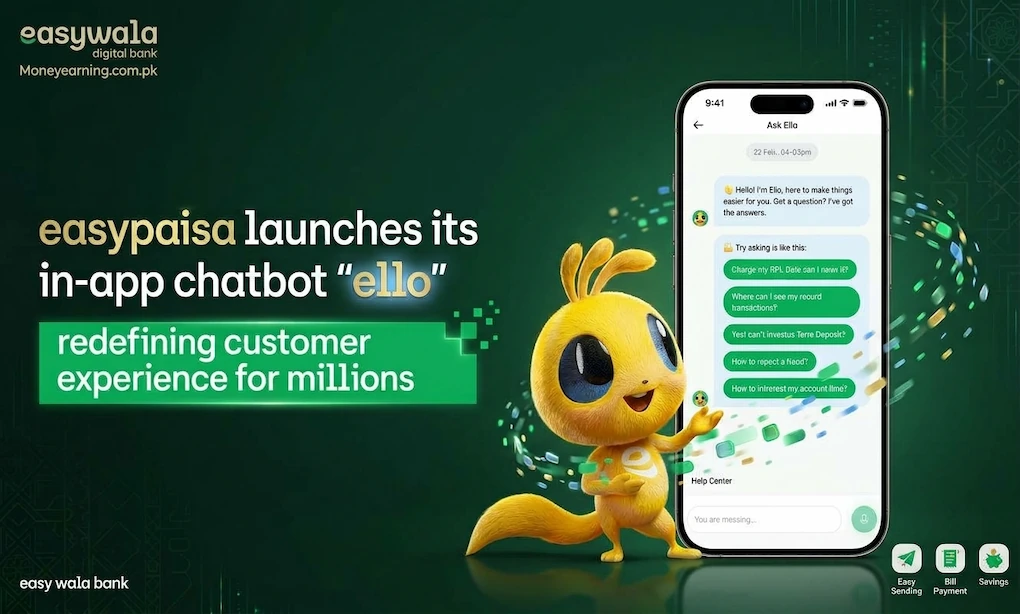
Many people search for the Easypaisa app download process, account registration, login instructions, customer support, and ways to solve common account problems. New users often want to understand how to create an Easypaisa account, while existing customers may need help checking their balance, changing account details, or contacting the Easypaisa helpline.
This guide explains the app in simple English. You will learn how to download and install it safely, register an account, use its main features, understand available payment options, and protect your personal information. It also covers common questions, including how to check an Easypaisa balance without the app and what to consider before closing an account. The goal is to help readers understand the service and use its features responsibly, without making unrealistic claims about financial benefits or security. Try this new app Jazzcash
What Is the Easypaisa App?
The Easypaisa app is a mobile wallet and digital financial services application used in Pakistan. It allows eligible customers to access supported financial services from a compatible smartphone.
Instead of handling every transaction in cash, users can perform various activities electronically. Depending on account status, service availability, and current terms, these activities may include transferring money, paying bills, purchasing mobile balance, and reviewing transaction records.
The app is designed for people who want to manage everyday payments in one place. Its interface generally organizes important services into accessible sections, helping users find the function they need without navigating complicated menus.
Who Can Use Easypaisa?
The service is intended for eligible customers who meet its current registration and identity-verification requirements. Availability of individual features may depend on the user’s account type, verification status, and applicable rules. Before registering, users should check the official eligibility requirements. They should also ensure that the mobile number and identity information they provide are correct.
Why Do People Use Easypaisa?
People may choose the Easypaisa app for several everyday reasons:
- Sending money electronically instead of carrying cash.
- Paying supported electricity, gas, water, or other utility bills.
- Purchasing mobile balance or available bundles.
- Checking balances and reviewing transaction histories.
- Accessing eligible financial services from a smartphone.
- Getting help with account or transaction-related problems.
Not every feature is necessarily available to every account. Users should check the options displayed in their own app and review the applicable fees and terms before confirming a transaction.
Easypaisa App Download for Android and iOS
The safest way to get the Easypaisa app is to use an official app store or a download link provided through the service’s official website. For Android users, the app is listed on Google Play under the name Easypaisa a digital bank, published by Easypaisa Bank Limited. iPhone users should search for the official Easypaisa app in Apple’s App Store and check the publisher before installing it.

- Easypaisa – a digital bank
- Official mobile financial services app
- For supported Android and iOS devices
- Android
- Get the app through Google Play.
- Open Google Play listing
- iPhone
- Search the App Store for the official app.
- Open Apple App Store
- Official website
- Visit Easypaisa
Is an Easypaisa APK Download Necessary?
An APK is an Android application installation file. Some websites offer APK files for apps, but downloading a financial app from an unfamiliar website can expose your device and account information to security risks.
You generally do not need to find a separate APK when the official app is available through Google Play. Avoid modified APKs, unofficial versions promising special benefits, and files that ask for unnecessary permissions.
If the app is unavailable on your device, check your operating system version, regional availability, and the official support information before trying another installation method.
How to Download and Install the Easypaisa App
Installing the official app is straightforward. Follow these steps to reduce the risk of downloading an imitation.
- Open the app store. Android users can open Google Play, while iPhone users can open Apple’s App Store.
- Search for the app. Enter “Easypaisa” in the search box.
- Check the publisher. Confirm that the listing belongs to the official service rather than an unrelated developer.
- Review the listing. Check the app description, update information, privacy details, and permissions.
- Install the app. Tap the install or get option and wait for the download to finish.
- Open the app. Allow it to complete any initial setup or updates.
- Follow the official registration instructions. Enter your details only within the verified application.
What If the App Does Not Install?
If the download fails, first check your internet connection and available storage. Restarting the phone or updating the operating system may also help.
If the app repeatedly crashes, check whether an official update is available. Avoid installing older versions from random websites simply because they appear easier to use. If the problem continues, contact the service through its official support channels.
How to Register and Log In
Account registration allows eligible users to access the services available to their account. The exact screens and verification requirements may change as the application is updated.
How to Create an Easypaisa Account
People searching for how to create an Easypaisa account should begin with the official app and follow the instructions shown on their device.
- Open the installed Easypaisa app.
- Select the registration or account-creation option if you are a new customer.
- Enter the requested mobile number and other required information.
- Complete the identity-verification steps requested by the official service.
- Enter any verification code received through the authorized process.
- Create the required PIN or login credentials according to the instructions.
- Review the account details and finish registration if you meet the eligibility requirements.
Registration may require a valid Pakistani identity document and additional verification. Requirements can vary, so check the current official terms. Do not use someone else’s identity or attempt to bypass age or identity checks.
How to Log In to Easypaisa
If you already have an account, open the app and enter the information requested on the login screen. This may include your registered mobile number, PIN, or an additional verification step.
Some users may be asked to complete biometric verification, particularly when accessing an account from a new device or when further verification is required.
If login fails, check that the entered information is correct, that your connection is stable, and that the app is up to date. Avoid repeatedly guessing a PIN or sharing a verification code with someone who claims they can unlock your account.
How to Keep Your Login Details Safe
Your account credentials should remain private. Choose a PIN that is difficult to guess, lock your phone, and never share an OTP with another person.
If you receive an unexpected verification message, do not approve a request you did not initiate. Contact official customer support if you suspect somebody is attempting to access your account.
Main Features of the Easypaisa App
The Easypaisa app combines several digital financial services within a single mobile interface. The options visible to you depend on account eligibility, current availability, and the service’s latest terms.
User-Friendly Interface
A mobile financial application should make important actions easy to locate. The Easypaisa interface organizes supported services into sections for payments, transfers, and other account activities.
New users may need a little time to become familiar with the menu. Before confirming a payment, read the recipient information and transaction amount carefully.
Money Transfers
The app supports eligible users who want to send money electronically. Depending on the available transfer option, recipients may include other wallet users or supported bank accounts.
The sender should check the recipient’s details, any applicable fee, and the displayed confirmation screen. Keep the transaction receipt until the payment has been confirmed.
Official transfer information is available on the Easypaisa money transfer page.
Utility Bill Payments
Users can access supported bill-payment services through the app. Depending on availability, these may include electricity, gas, telephone, internet, and other listed billers.
Always check the consumer reference number, billing information, and amount before submitting a payment. If a transaction fails or remains pending, check the transaction history before attempting it again to avoid an accidental duplicate payment.
Mobile Load and Packages
The app can be used to purchase eligible mobile balance and packages. The options displayed depend on the mobile network and the services currently offered.
Double-check the phone number and package details before confirming. A small mistake in the recipient number can send a recharge to the wrong person.
Account Balance and Transaction History
The account section helps users review their available balance and previous transactions. Transaction history is particularly useful when checking whether a transfer was completed or investigating an unfamiliar payment.
Save receipts when needed, but avoid posting screenshots publicly if they reveal your phone number, account information, transaction reference, or other private details.
QR Payments and Other Digital Services
The official app listing describes QR payments and other services, including selected savings, insurance, and travel-related options. Availability and eligibility differ by service
Before using any additional service, review its terms, charges, eligibility requirements, and privacy implications. Never assume that a feature is free simply because it appears inside the same application.
Customer Support
Customer support is important when users encounter failed transactions, login problems, or account-verification issues. The app provides access to support options, and the official website lists further ways to submit complaints.
Keep the date, amount, transaction reference, and a short explanation of the issue ready when contacting support. These details can help the support team understand what happened.
Games Available in the Easypaisa App
Although this guide follows a game-style article structure, the Easypaisa app is primarily a digital financial services application, not a traditional mobile gaming platform.
Its main purpose is to support payments, transfers, and other financial activities. The official app listing also describes selected competitions and a feature called One Rupee Game.
These features should not be confused with ordinary entertainment games. Before participating in a competition or promotional activity, read the official rules, eligibility conditions, and any costs involved.
For users primarily looking for a digital wallet, the payment and account-management tools are more relevant than promotional activities.

Bonuses, Rewards, and Promotions
People sometimes search for Easypaisa promotions because they want to know whether the app offers sign-up rewards, cashback, discounts, or special campaigns.
Promotions may be available at certain times, but their terms can change. Some offers may apply only to eligible accounts or specific transactions.
Before participating, consider these points:
- Check the official offer: Confirm the details inside the app or on an official Easypaisa channel.
- Read the conditions: Look for eligibility rules, expiry dates, and any minimum transaction requirements.
- Understand the cost: A promotion does not automatically mean that every associated transaction is free.
- Avoid false promises: No third party can guarantee a reward simply by asking for your PIN or OTP.
- Keep expectations realistic: Do not treat promotional rewards as a reliable source of income.
If a message promises an unusually large reward and asks you to click an unfamiliar link, share your account credentials, or pay an unexpected fee, treat it as suspicious.
Payment and Withdrawal Methods
Payment options are one of the main reasons people use the Easypaisa app. Depending on the account and available services, customers can send money, make payments, and manage funds electronically.
Supported Payment Options
The app’s official transfer information describes money transfers to supported destinations, while its available payment menu identifies the services accessible to a particular customer.
| Payment activity | What to check |
|---|---|
| Wallet-to-wallet transfer | Confirm the recipient’s mobile number and name where displayed. |
| Bank transfer | Verify the receiving bank details and any applicable fee. |
| Utility bill payment | Check the bill reference and amount. |
| Mobile recharge | Confirm the network, number, and selected package. |
| QR payment | Verify the merchant and final payment amount. |
| Cash withdrawal | Check the available withdrawal method, limits, and charges. |
Available methods, limits, and fees may change. Review the current terms before moving money.
Does Easypaisa Support JazzCash?
People searching for Easypaisa and JazzCash transfers should check the current transfer menu to see which destinations are supported. Do not assume that every wallet or transfer route is available for every account.
How Do Withdrawals Work?
If you want to withdraw money from your account, check the official app for the available options. Depending on eligibility and service availability, you may be able to use supported cash-out or other withdrawal methods.
Check the displayed fee, transaction limit, and confirmation details before proceeding. A transaction can sometimes be delayed by technical issues or verification requirements, so instant completion should not be assumed.
For account-specific withdrawal questions, use the official support channels rather than relying on an unverified social media post.
How to Check Easypaisa Balance Without the App
The search phrase how to check Easypaisa balance without app is useful for people who cannot access their smartphone application or prefer another supported method.
If you need to check your balance without opening the app, use a method confirmed by Easypaisa for your account and mobile network.
You can:
- Check the official website for current account-access instructions.
- Contact the official helpline to ask which balance-inquiry methods are available.
- Follow any verified instructions provided for your account type.
- Review any applicable service charges before requesting a balance inquiry.
Do not rely on old USSD codes or numbers found on unknown websites without checking that they remain valid. Balance-inquiry methods and charges can change over time.
How to Change Your Easypaisa Account Number
People searching for how to change Easypaisa account number may mean different things. Some want to update a contact number, while others want to move an account to a new SIM.
A mobile wallet is linked to account-identification and verification details, so changing the registered number may require assistance from the provider.
Before making changes:
- Check whether your requested update is available through the official app.
- Contact customer support if the number is already linked to an existing account.
- Prepare the identity information required for verification.
- Ask how the change will affect your login and access to transaction records.
- Never share your PIN or OTP with someone offering to change the number for you.
Do not create duplicate accounts or use another person’s identity to work around a verification issue. Follow the official process for your particular situation.
How to Delete an Easypaisa Account
If you no longer want to use the service, contact Easypaisa to ask about its current account-closure procedure.
Before requesting closure, review any remaining balance, pending transfers, outstanding obligations, and transaction records you may need later.
A sensible approach is to:
- Review your account and transaction history.
- Resolve pending payments or account issues.
- Contact the official helpline or use an available in-app support option.
- Ask which identity-verification steps are required.
- Follow the instructions for closing the account and confirm the outcome with the provider.
Uninstalling the app does not necessarily close your financial account. Likewise, deleting the app from your phone should not be treated as confirmation that the account has been closed.
Safety and Responsible Use
Financial apps can make everyday tasks easier, but users still need to protect their information and understand the risks of digital transactions.
Download Only From Trusted Sources
Use an official app store or a link from the provider’s verified website. Avoid unofficial APK files, modified applications, and websites that imitate the original service.
Never Share Your PIN or OTP
Your PIN and one-time passwords are private. Genuine support staff should not need you to disclose your secret credentials to prove that you own an account.
If somebody contacts you unexpectedly and asks for these details, stop communicating and verify the request through an official channel.
Review Every Transaction
Check the recipient, amount, and fee before confirming a payment. If you notice an unfamiliar transaction, report it promptly through official support.
Protect Your Device
Keep your phone’s operating system and the app updated. Use a screen lock, avoid logging in on devices you do not trust, and do not install applications that request unnecessary access to messages, contacts, or other sensitive information.
Understand Financial Products Before Using Them
Some financial apps provide access to products beyond basic payments, including savings products, insurance, or credit services. These products may have eligibility requirements, fees, exclusions, or repayment obligations.
Read the applicable terms carefully before signing up. Never borrow money or make a payment because of pressure from a promotional message.
Know Where to Get Help
The official Easypaisa complaint guidelines list these customer-support contacts.
- Telenor users: 3737
- Other mobile networks: 021, 042, or 051-111-003-737
- Email: complaints@easypaisa.com.pk
- Official website: easypaisa.com.pk
Check the current contact information on the official website before calling, as contact arrangements can change.
User Experience
The Easypaisa app brings several everyday financial services into one mobile application. This can be useful for people who regularly transfer money, recharge phones, or pay bills. Its main convenience is that users can access supported services without visiting a physical location for every transaction. The transaction history can also help them keep track of their spending and identify payments that need attention.
However, the experience may differ from one device or account to another. Slow internet, application updates, verification requirements, and temporary service interruptions can affect usability.
New users may need time to understand the payment menus and transaction-confirmation screens. Taking a moment to check the recipient and amount is especially important because a convenient interface does not remove the possibility of user error. Overall, the app is most useful when its available features match your everyday needs. It is worth reviewing the official fees and terms before relying on it for regular payments.
Pros and Cons
Pros
- Provides access to supported digital payment services.
- Allows eligible users to transfer money electronically.
- Offers utility bill payments and mobile recharge options.
- Includes transaction-history and account-management tools.
- Provides official customer-support and complaint channels.
- Supports selected additional services, depending on eligibility.
Cons
- Requires a compatible device and suitable internet access for app-based services.
- Some transactions or products may involve fees or limits.
- Verification requirements can delay access in certain situations.
- Temporary technical problems can affect payments or login.
- Unofficial copies and phishing attempts create security risks.
- Features and promotional offers may change over time.
Final Verdict
The Easypaisa app is a practical option for eligible users in Pakistan who want to manage everyday digital payments from their phones. Its main uses include money transfers, supported bill payments, mobile top-ups, and account management.
The most important things to understand before using the service are its registration requirements, transaction fees, security practices, and available customer-support options.
For the safest experience, download the official application, keep your login details private, and verify every payment before confirming it. If you encounter a problem, use the provider’s verified support channels instead of trusting an unknown person who promises a quick fix. Ultimately, the Easypaisa app can simplify routine financial tasks, but users should make informed decisions and check the current terms of each service they use.
FAQs About Easypaisa APK App
What is the Easypaisa app?
The Easypaisa app is a digital financial services application in Pakistan. It supports services such as money transfers, utility bill payments, mobile recharges, and other account features, depending on eligibility and availability.
How can I download the Easypaisa app?
Open Google Play on Android or the Apple App Store on iPhone. Search for the official Easypaisa application, check the publisher, and install the verified version. Avoid unofficial downloads and modified APK files.
Is the Easypaisa app available for Android and iOS?
The service provides an Android application, and iPhone users can check the Apple App Store for the official iOS version. Compatibility and availability depend on the device, operating system, and current store listing.
How do I create an Easypaisa account?
Open the official app and follow the registration instructions. You may need a registered mobile number, valid identity information, and additional verification. Eligibility requirements apply, so check the current official terms before registering.
What is the Easypaisa helpline number?
The official complaint guidelines list 3737 for Telenor users and 021, 042, or 051-111-003-737 for other networks. Confirm the current contact details on the official website if you cannot get through.
Can I check my Easypaisa balance without the app?
You may have alternative balance-inquiry options depending on your account and mobile network. Contact official customer support or consult the provider’s current instructions to confirm the correct method and any applicable charges.
What should I do if an Easypaisa transaction fails?
Check your transaction history and determine whether the payment is pending, completed, or unsuccessful before trying again. Keep the transaction reference and contact official customer support if the issue remains unresolved. Never share your PIN or OTP while requesting assistance.
Download links
How to install Easypaisa App Complete Guide to Download, Registration, Features, and Account Safety 2026 APK?
1. Tap the downloaded Easypaisa App Complete Guide to Download, Registration, Features, and Account Safety 2026 APK file.
2. Touch install.
3. Follow the steps on the screen.